
Different layouts for desktop and mobile
Show a 6×4 gallery on desktop and a compact 2×2 on mobile. Configure each screen size separately.
All paid plans
Help shoppers picture how your products look, fit, and are used with customer photo galleries on your Shopify store.
Bring in photos from Instagram, upload your own, or collect them through a link. Choose the photos to feature in your storefront lookbook.
Start your free trial See a live gallery7-day free trial · Plans from $19/month
How it works
Bring in content, choose where it belongs, and show it on your store.
Step 1
Collect from Instagram, accept uploads on your storefront, or share an upload-page link. Already have photos? Upload those too.
You can start with any source. You choose what to publish.
Posts, tags, mentions, and hashtags available to your account.
Photos sent through your storefront gallery’s upload button.
Share a link in an email or message. No customer login needed.
Bring photos you already have with Bulk Uploads.
Step 2 · One-time setup
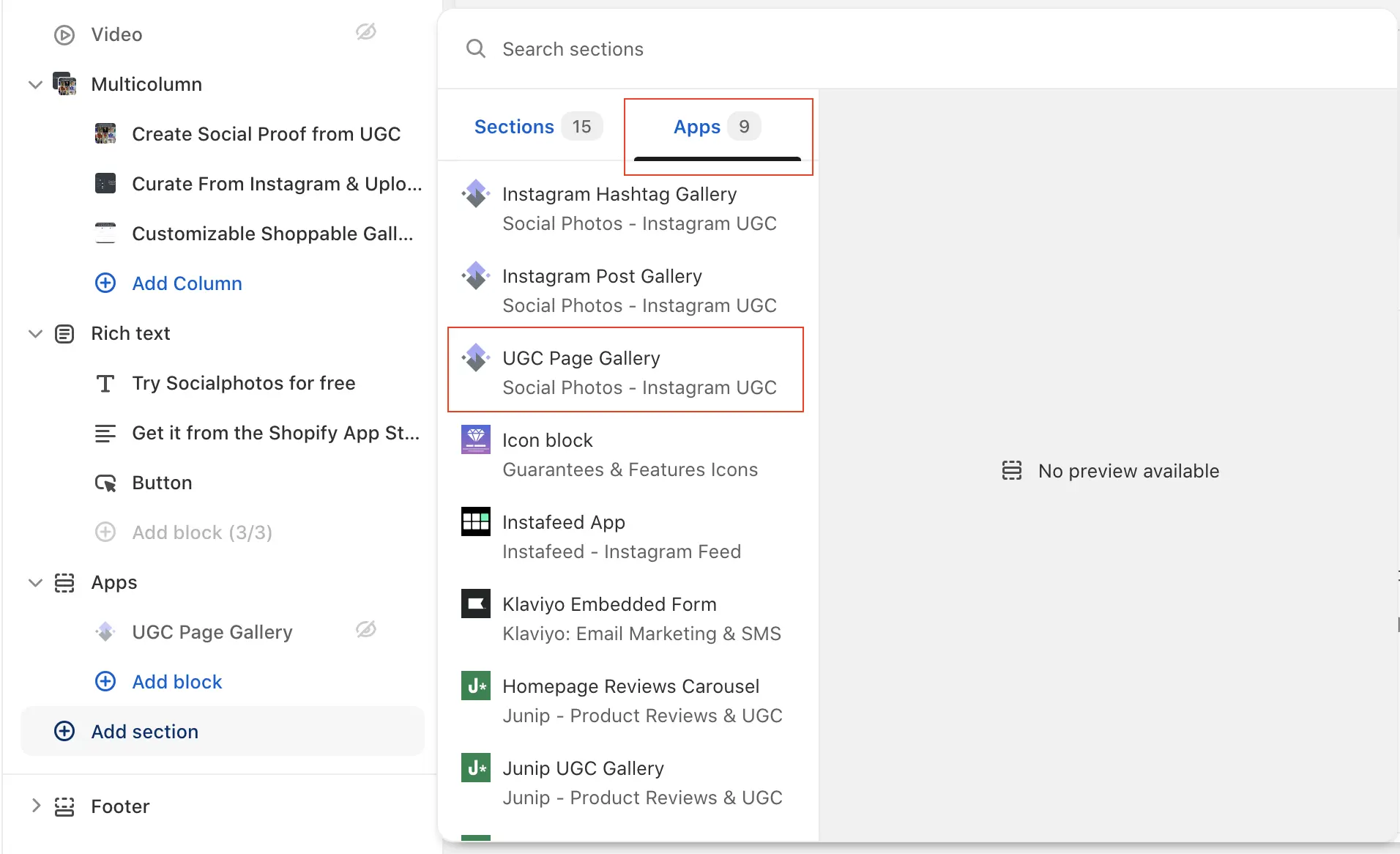
Choose where customer photos appear: your homepage, a dedicated gallery page, or product pages. Add the matching Socialphotos gallery block in the theme editor and save.
Page galleries are included in Basic. Product-page galleries require Advanced or Premium.
See the installation guide
Step 3
Add selected content to a gallery, or tag products to show relevant photos on their product pages. Product tags also let shoppers explore the items in each photo.
Product tagging is included in Advanced and Premium. Displaying videos requires Premium.
Step 4
Once installed, your galleries update as you add selected content—without editing your theme each time.
Shoppers can browse customer photos and explore tagged products. Incoming uploads only appear when you add them to a gallery.
See a live galleryRead how merchants use Socialphotos in their stores.
"Love this app! Easy to use and creates great social proof for our products. Would highly recommend to increase your store conversion rate."
- Salty Sadie
"This app makes it easy for potential customers to see others wearing or using the product and invites them to interact on instagram to be featured! The support staff is super helpful and friendly. Highly recommend this app if you want to take your store to the next level."
- Kacey Musgraves
"Easy to use, works perfectly and customer support went above and beyond to make some customizations for us."
- Angel Curves
"really good app and easy to install. photos look good on my product pages and help with conversions. support is exceptional if you need any help or assistance. thanks team."
- Jim and Tonic Distillery
"The app is very simple to setup and use. Great way to generate more interest in products and website. Max from support team has been more than helpful and knowledgeable. Very professional. Great app overall. Would highly recommend."
- Live it Up Outfitters LLC
"Simple and efficient. Focused on Instagram and direct user web uploads. Excellent reactive customer service. The App did not impact our page load and works well also on mobile. A real positive addition to our site experience."
- ICOONA
Choose how customer content looks, feels, and connects to your products.
Show a 6×4 gallery on desktop and a compact 2×2 on mobile. Configure each screen size separately.
All paid plans
Let shoppers browse horizontally through a carousel or keep exploring a vertical grid with infinite scrolling.
All paid plans
Tag products so shoppers can explore the items pictured in each photo.
Advanced and Premium
Adjust fonts, colors, spacing, captions, and the photo pop-up to suit your brand.
All paid plans
Show customer photos alongside videos and Instagram reels in your galleries.
Premium
Show each product’s tagged customer content on its own product page.
Advanced and Premium
Your price is based on the features you need—not how many photos or videos you collect.
Get every feature for $55/month with Premium.
Unlimited customer content. No content-based pricing tiers.
Start your 7-day free trial. Cancel anytime.
Build customer photo galleries
Make photos shoppable on your store
Every feature, including videos
Build customer photo galleries
Save 30% vs. monthly billing
$228/year · Save $69 a year
Make photos shoppable on your store
Save 29% vs. monthly billing
$420/year · Save $121 a year
Every feature, including videos
Save 30% vs. monthly billing
$660/year · Save $201 a year
Answers about customer galleries, setup, and choosing a plan.
No. You can upload photos you already have, accept customer uploads through your storefront gallery, or share an upload-page link. Connecting Instagram gives you another source of content; it is not required to create a customer photo gallery.
Compare all content sourcesCustomers can use the upload button in your storefront gallery or open an Upload Page link you share in an email, message, or QR code. Upload Pages do not require customers to sign in. Submissions are available for you to review and add to galleries.
Compare customer upload methodsNo. Incoming customer uploads are not automatically published in your curated galleries. You choose which content to add. Once the gallery is installed, it updates on your storefront as you add selected content.
Read about customer uploadsFor Shopify Online Store 2.0 themes, add a Socialphotos gallery block in the theme editor, configure the gallery, and save. Page galleries can appear on your homepage or a dedicated page. Product galleries show content tagged to the product. Separate instructions cover older themes and page builders.
Open the Shopify setup guideA page gallery displays the content you select for a lookbook or another storefront page. A product gallery displays content tagged to the product being viewed. Page galleries are included in Basic; product galleries and shoppable product tags require Advanced or Premium.
Compare plansYes. Socialphotos lets you configure desktop, tablet, and mobile layouts separately. For example, you can show a 6×4 gallery on desktop and a 2×2 gallery on mobile. You can also choose a horizontal carousel or a vertical scrolling grid.
See gallery customization optionsNo. Socialphotos charges a flat subscription based on features, not the amount of customer content. Paid plans include unlimited photos. Premium includes video display as well. You do not need to move to a higher plan simply to add more photos.
See pricing and included featuresPremium includes photo and video galleries, Instagram reels, automatic Instagram hashtag galleries, and Socialphotos branding removal, along with every Advanced feature. Premium costs $55 per month, or $459 per year with annual billing. Basic and Advanced display photos only.
Compare monthly and annual plansYou can use Bulk Uploads to add photo files you already have, then select them for your Socialphotos galleries. This is not an automatic transfer of another app’s galleries or product tags; you will need to recreate those placements in Socialphotos.
Read the Bulk Uploads guideYes. Socialphotos offers a 7-day free trial. Choose the plan with the features you want to evaluate and install the app through the Shopify App Store. Paid plans start at $19 per month for Basic, $35 for Advanced, and $55 for Premium.
View plansYou can cancel from Settings → Billing inside Socialphotos. Cancellation stops future recurring charges and disables your galleries immediately. Your content stays in your account. Previous charges are not automatically refunded.
Contact support with a billing questionStart with a lookbook. Add shoppable product tags when you’re ready.
Start your 7-day free trial