

Features
From customer content to shoppable galleries
Socialphotos follows a simple flow:
- Sources – bring in content
- UGC – manage content inside the app
- Galleries – display content on your store
- Shoppable – tag products so shoppers can explore them
Once tagged, the same UGC links shoppers to your products wherever it appears.
Sources: Bring in UGC
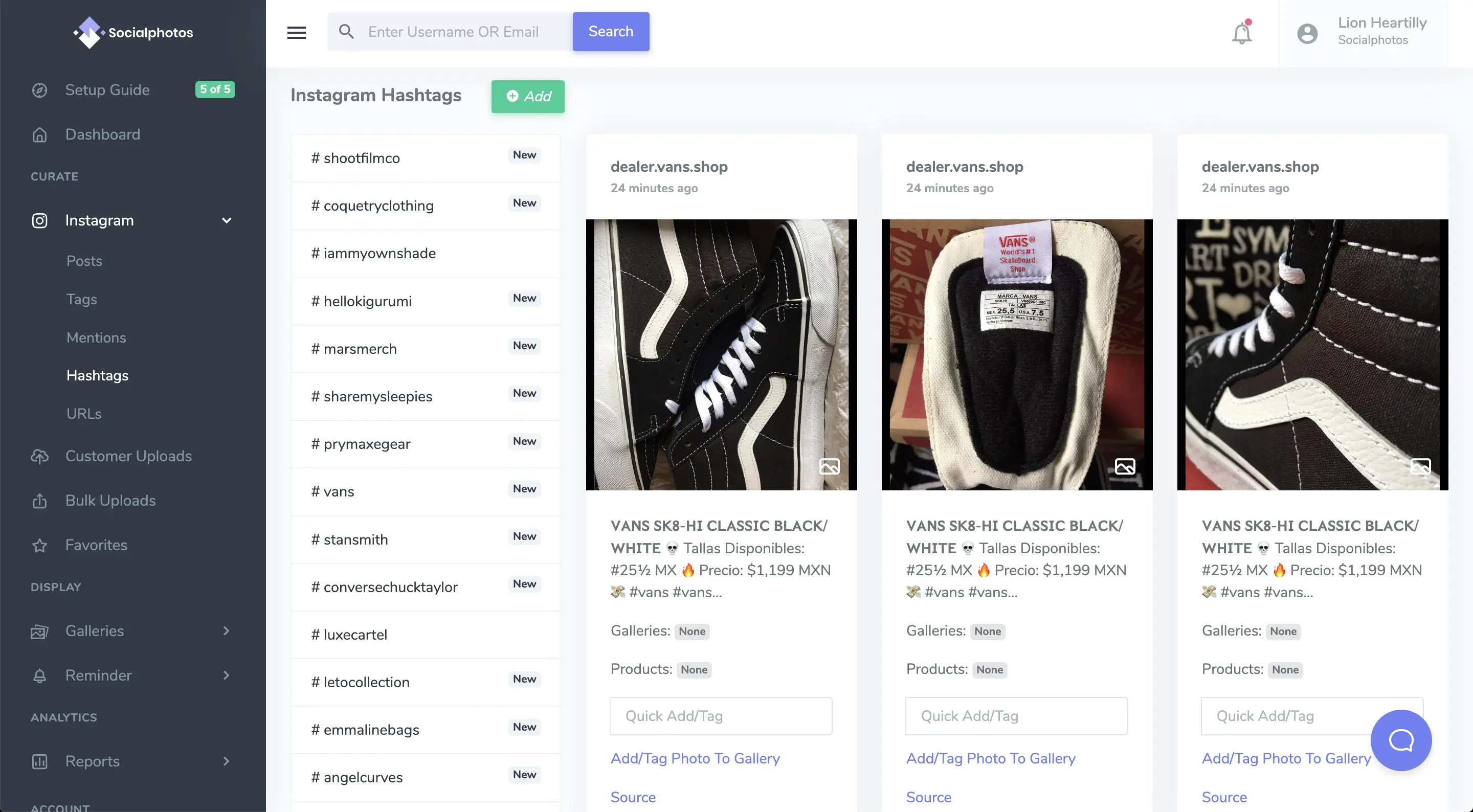
Curate any public Instagram post by pasting its link, whether it's from a creator, a customer, or your own account. No Instagram connection needed. How Instagram links work.
Or connect your Instagram account to bring in:
- Your own posts and reels
- Tagged content
- Hashtags
- Mentions
Customer Uploads
Let customers upload photos and videos directly from your storefront. Review and approve them before publishing.
Upload Pages
Collect photos and videos from customers who never post on Instagram or leave reviews. Create an upload page and share its link anywhere: a post-purchase email, a message, a button on your site, or a QR code on your packaging. Customers submit without an account, and you choose what to publish.
Available on all paid plans. Set up an upload page.
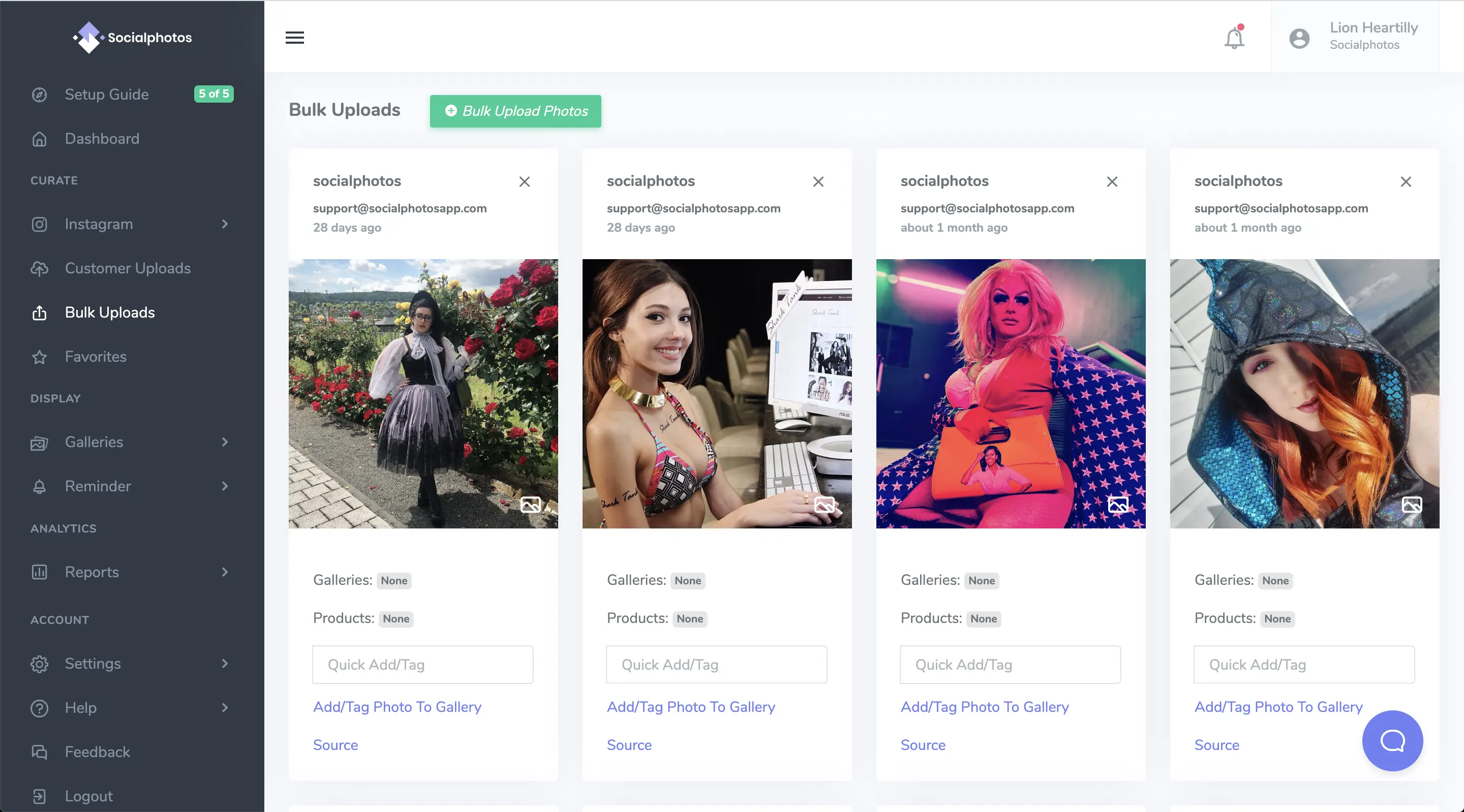
Bulk Uploads
Upload your own approved customer content or brand visuals in bulk. Manage them like any other UGC. Moving from Cevoid? We can migrate your photos, videos, product tags, and galleries. Contact us before you cancel Cevoid.
Galleries: Display UGC Anywhere
Page and Product Galleries offer three layouts: Vertical Grid with optional infinite scrolling, Horizontal Carousel with one or multiple rows, and Portrait Carousel with one row of tall cards. Photos remain still; Premium videos can autoplay muted in Portrait Carousel, controlled by the merchant.
Customize headings, spacing, colors, upload options, and the media pop-up without changing your selected content or product tags. Photo Page Galleries are available on Basic and above; Product Galleries require Advanced or Premium. Explore gallery customization.
UGC Page Gallery
Display curated UGC on any page: homepage, landing pages, blog posts, or dedicated customer photo pages.
Explore all gallery layouts: portrait carousel, horizontal carousel, and scrolling grid on one demo page.

UGC Product Gallery
Show real customer content directly on your product pages, so shoppers see the product in use before they buy. Available on Advanced and Premium.
Live example: View product page example
Shoppable: Link UGC to Your Products
A Shoppable Gallery is not a separate gallery type.
Any UGC becomes shoppable once it is tagged with a product. Product tagging is available on Advanced and Premium.
- Appears in the UGC Product Gallery
- Displays tagged products inside galleries
- Lets customers shop directly from real-life content
See it in action: Click a photo to shop the look

Analytics
Sales are hard to attribute to a single photo, so Socialphotos tracks impressions and interactions as a proxy.
See how often shoppers view your gallery photos, open them, and click through to tagged products.